Single Sentence Definition
A gaming PC's specifications refer to the hardware parts that affect the computer's performance.


Audience
Figuring out which specific parts to buy for your gaming PC is a fundamental step in building a setup tailored to your needs, but it can be a struggle for beginners due to the confusing terminology and pricing of certain components. This extended definition may be useful for anyone with limited knowledge and interest in building a PC
Overview
The main components in a gaming PC are:
- Central Processing Unit (CPU)
- Graphics Processing (GPU)
- Random Access Memory (RAM)
- Motherboard
- Storage
- Power Supply
It is important to note that not all parts are compatible with each other. CPU and motherboard should be selected first to ensure the rest of the PC can function accordingly.
CPU
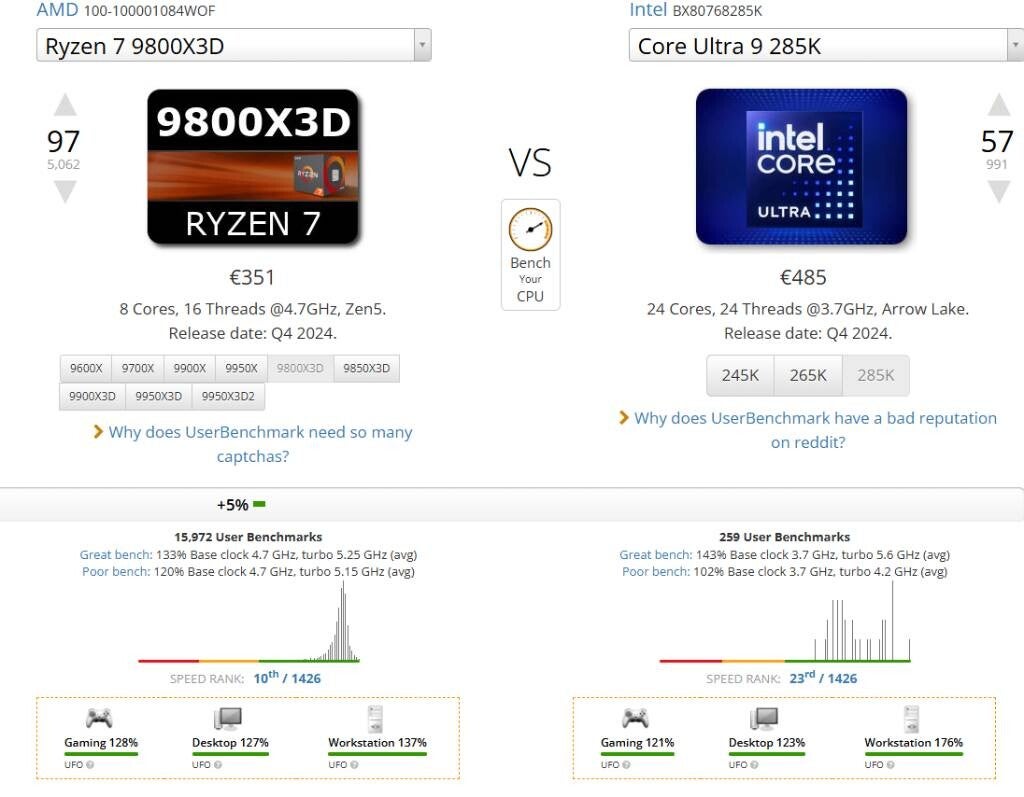
The central processing unit or CPU is the core of the computer and is the most fundamental component when building a PC. When selecting a CPU for your rig there are a few specific specifications to look out for:
- Socket (this matters for motherboard compatibility)
- Cores and threads
- Cache size
- Clock speed
- Power consumption
The socket determines which motherboards can be used with your CPU. It is recommended that you pick a motherboard based on your CPU socket and not pick a CPU based on your motherboard socket. Common sockets include AMD's AM5 and AM4 sockets as well as Intel's LGA 1700 socket.
When choosing a gaming CPU the cores are important to consider. Contrary to what many people may think, more cores does not necessarily mean better gaming performance. Most games are only optimized to run on 6 cores or 12 threads. The purpose that a CPU with more cores serves is better multitasking and more productivity focused performance. To get the most gaming value for your money 8-core CPUs are optimal.
Cache size refers to the size of the CPU cache, small ultra-fast memory integrated directly into the processor. Bigger cache means more information the CPU can access extremely quickly leading to faster gaming processing. The L1 cache is the fastest and generally the smallest, the L2 cache is slightly slower and bigger than the L1 cache, and the L3 cache is the biggest and slowest cache.
The clock speed refers to the speed at which the CPU processes information. A faster clock speed means the CPU can do more in a shorter time, leading to better gaming performance. The clock speed is usually directly related to the amount of power directed to the CPU.
GPU
The graphics processing unit or GPU is just as important as the CPU for an optimized gaming PC. Generally they connect via PCIe lanes directly into the motherboard. The important specifications to keep in mind are:
- V-RAM
- Cores
- Clock speeds
V-RAM is the internal memory of the GPU specifically set aside for graphics related tasks. The current standards for V-RAM are GDDR7 (fastest), GDDR6X (mid range), and GDDR6 (lower end)
While CPU and GPU cores have a similar designated purpose, GPUs use hundreds or even thousands of cores to parallelly process tasks.
There is a lot less variation in GPUs designed purposes and, therefore; it's much easier to pick one based on your needs. Most modern GPUs are already optimized for gaming so choosing one comes down mainly to budget.
RAM
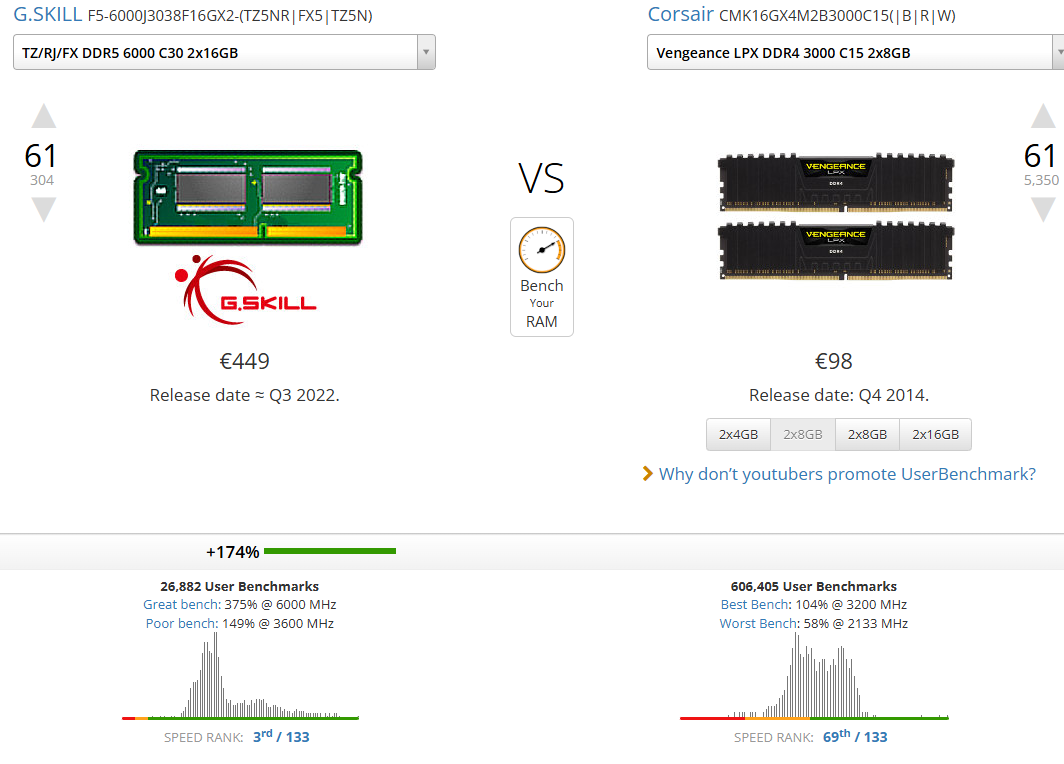
Random access memory (RAM) is your computer's short-term memory. It is used by the CPU to temporarily stores data needed to run any apps or process running on your PC. At least 16 GB of ram is needed to run most games. 32 GB is recommended for more intensive gaming. The most important thing to consider when choosing your RAM is the type (DDR4 vs. DDR5) and clock speed. Most older motherboards are only compatible with DDR4 RAM which generally has clock speeds of 3200 to 4800 MHz. Modern motherboards use DDR5 which can have clock speeds of 5600 to over 6000 MHz. Higher clock speeds are generally better for gaming. It is vital to choose the correct RAM for your motherboard or your computer will not boot.
Motherboard
The motherboard you choose depends heavily on your CPU socket. The socket on your motherboard and CPU must match to avoid compatibility issues. Other things to consider when choosing a motherboard are DDR4 vs. DDR5 compatibility, as they are not interchangeable, and form factor.
The typical form factors for modern motherboards are ATX and Micro-ATX. Most cases will be compatible with both.
Most motherboards are in the same price range so choosing one comes down mainly to compatibility.
Storage
There are different types of storage but the main form used in modern gaming PCs is the solid state drive or SSD. SSDs are the fastest, most reliable form of storage. They generally come in standard sizes of 512 GB 1 TB and 2 TB. The SSD you choose depends on your budget and storage needed, and they are generally compatible with all modern motherboards' NVMe slot.
Power Supply
The main thing to consider when choosing a power supply is wattage. It is recommended to choose the power supply last because in order to choose one you should first calculate the total power draw of your PC.
Create Your Own Website With Webador